Math Blaster Plus!
by Davidson & Associates·published by Davidson & Associates
Gallery
11About
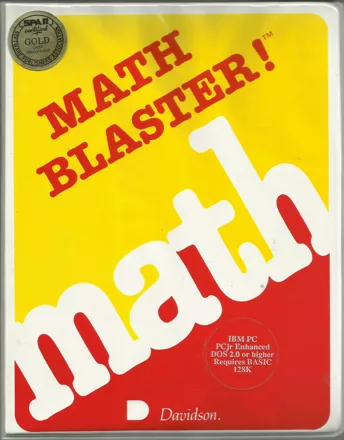
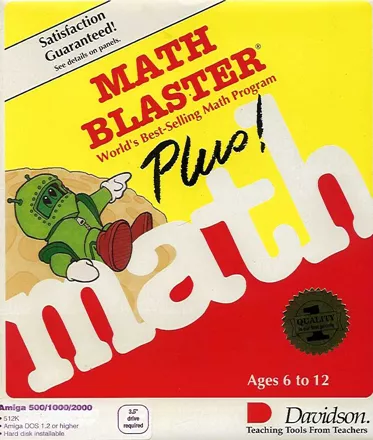
An updated version of the older Math Blaster! educational game. Unlike the previous version, this one's not in BASIC!
A new GUI greets users, called the "Davidson Student Desktop Interface"- this allows people to switch from one portion of the game to the next without all that nasty typing.
The math is broken down into five subjects- addition, subtraction, multiplication, division, and fractions/decimals/percents. The game itself is broken into 5 activities-
Countdown- a flash-card style "game" with no scoring or timing. A problem, with answer, is shown on screen- upon command, the same problem appears sans answer, and must be answered correctly.
Ignition- problems appear, and upon a correct answer, motivational messages and animations pop up. The player has two chances to answer correctly, and receives a scoreboard at the end showing number of problems, number solved, etc. (This scoreboard appears in the next two listed activities.)
Lift-off- problems appear, with answer, but missing an internal component (like 2 * _ = 12). Three chances per problem are given to answer correctly. Once again, there are encouraging messages and animations- and a certificate of achievement may be printed out.
Orbit- three problems appear on-screen with portions of each in boxes; these boxes may contain errors and need to be changed by the player. Each correct answer earns a star, and the player can attempt to answer twice. This one also can print a certificate of achievement.
Blasternaut- the action-oriented math activity- you control a Blasternaut that must get into a rocket aimed at the correct answer to a shown problem. Bonus points are awarded if you can rescue floating Blasternauts- apparently slamming into them with the nosecone of a huge rocket constitutes help.
The math problems contained within aren't randomly generated, but are pre-written lessons (which are handily printed in the instruction manuals.) Math Blaster Plus! can be used to create new lessons, can be used in a classroom setting to track individual students' performance, and can print stored lessons as paper-based quizzes/tests for more traditional (and more boring) use.
Ways to play
Modes
Perspective
Game details
Business Model
Commercial
Input Devices Supported/Optional
Keyboard, Mouse
Additional Hardware Supported
Printer
System requirements
Min. CPU Class Required
Intel 8088 / 8086
Min. RAM Required
256 KB
Video Modes Supported
CGA
Reader ratings
Rate this game
Nobody has rated this yet.
Facts
Developer
Publisher
Released
1987
Series
Blaster Learning SystemPlatforms