
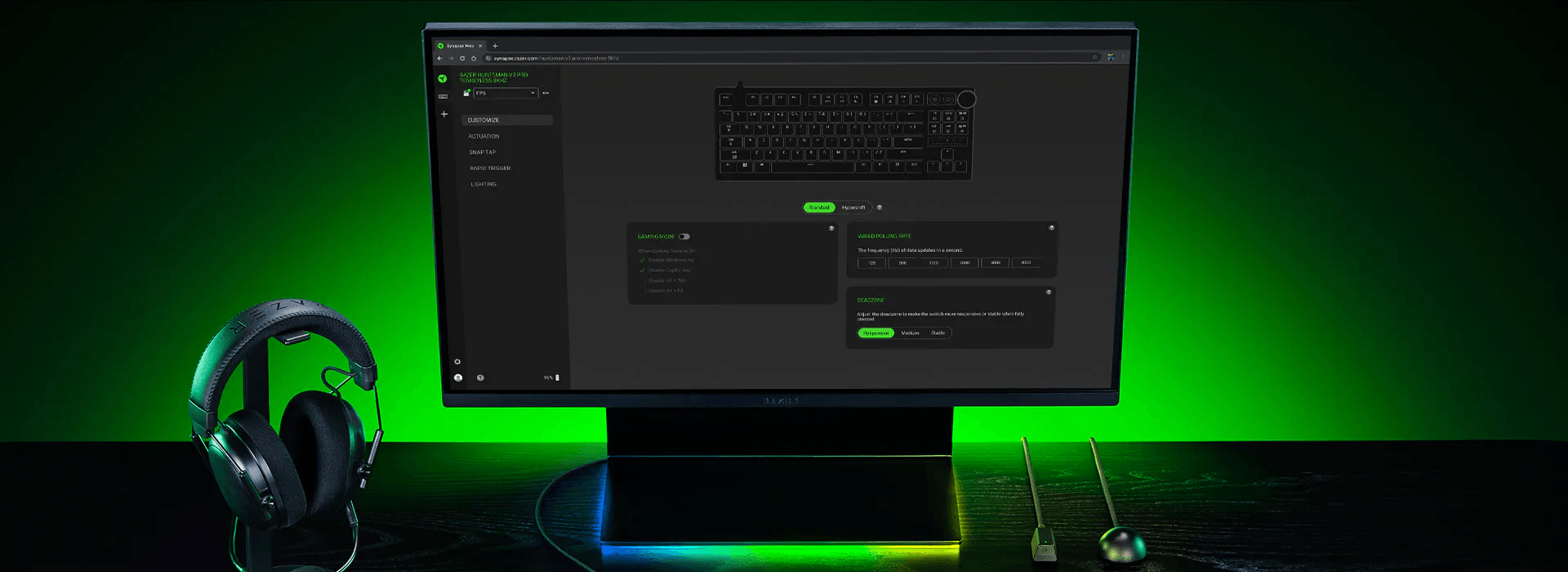

Razer Synapse Web has officially been introduced as a browser-based alternative to Razer’s traditional desktop software, allowing users to configure supported peripherals without installing a standalone client. The move signals a clear shift toward lighter, more accessible device management, especially for players who value speed and simplicity over deep system-level customization.
Confirmed in late January, Synapse Web is positioned as a streamlined solution for gamers and professionals who want quick access to essential peripheral settings without dealing with the heavy footprint of full desktop installs. At launch, the web tool supports select Razer keyboards, including models such as the Huntsman V3 Pro, with broader device compatibility expected in future updates.
What Razer Synapse Web offers at launch
Despite its lighter approach, Razer Synapse Web still delivers several core features users expect from the ecosystem:
Quick RGB lighting adjustments directly through a browser
Creation and editing of profiles stored on device memory
Basic key remapping and effects configuration
No background services or persistent system processes
Because profiles are saved directly to supported devices, users can move between systems without needing to reinstall software or reconfigure settings each time. This makes Synapse Web particularly useful for shared PCs, LAN events, esports environments, or quick setup changes when away from a primary gaming rig.
Why Razer is moving to a browser-based solution
The launch of Razer Synapse Web reflects a growing industry trend toward minimal, web-powered control tools. Desktop peripheral software has long been criticized for excessive resource usage, slow boot times, and mandatory background services. Razer’s traditional Synapse client has often been cited as an example of feature overload for users who only need basic configuration.
By shifting essential functionality into the browser, Razer reduces friction while still maintaining its ecosystem. A Chromium-compatible browser is the only requirement, meaning Synapse Web works across most modern systems without additional dependencies.
Limitations compared to desktop Synapse
While convenient, Razer Synapse Web is not intended to fully replace the desktop application—at least not yet. Advanced features such as complex macro creation, deep Chroma Studio effects, and multi-device synchronization remain exclusive to the full client.
For power users who rely on layered RGB profiles or advanced automation, the desktop version is still necessary. However, for everyday adjustments and portable setups, the web-based approach covers the most commonly used functions.
Early reactions and future expectations
Initial reactions across PC hardware communities and forums have been cautiously optimistic. Many users welcome the reduced system load and faster access, especially those who previously avoided installing Synapse on secondary machines.
Razer has confirmed that additional supported devices and features are planned, suggesting that Synapse Web may evolve into a more complete alternative over time. If adoption grows, it could influence how other peripheral manufacturers approach software design in the future.
For now, Razer Synapse Web stands as a practical, lightweight option that prioritizes convenience—something many PC users have been asking for.

Discussion(0)