


Windows 11 is finally moving toward a more consistent visual identity across the operating system. Microsoft’s design team has confirmed that the company is systematically working through legacy dialogs that still use designs dating back to Windows 8.1, Windows 7 and, in some cases, even much older versions of Windows.
The problem will be familiar to anyone who has spent enough time using Windows 11. The main Settings interface looks modern, with rounded corners, dark mode and Microsoft’s Fluent Design language, but after only a few clicks, users can still encounter windows that look as though they have been frozen in time since an earlier generation of Windows.
One example is the Voice packages dialog found under Settings > Time & language > Speech. When users attempt to add new voices, Windows still opens a separate legacy dialog that lacks the modern styling — including the rounded corners Microsoft heavily promoted when Windows 11 first launched.
Windows 11 Is Finally Modernizing Legacy Dialogs Across the OS
Microsoft is also working on modernizing the Reset this PC interface, which still uses a visual style inherited from the Windows 8.1 era.
March Rogers, Microsoft Partner Director of Design, confirmed that these older elements are on the company’s internal modernization list and that Microsoft is “gradually working” its way through legacy Windows UI.
Microsoft previously said it plans to rewrite older dialogs using WinUI 3, although the approach will not be identical for every part of the operating system.
In some areas, fully replacing legacy code could introduce a greater risk of bugs or compatibility problems. Because of that, Microsoft is taking a more cautious approach in certain parts of Windows, initially adding dark mode and smaller visual improvements while completely rebuilding other interfaces from the ground up.
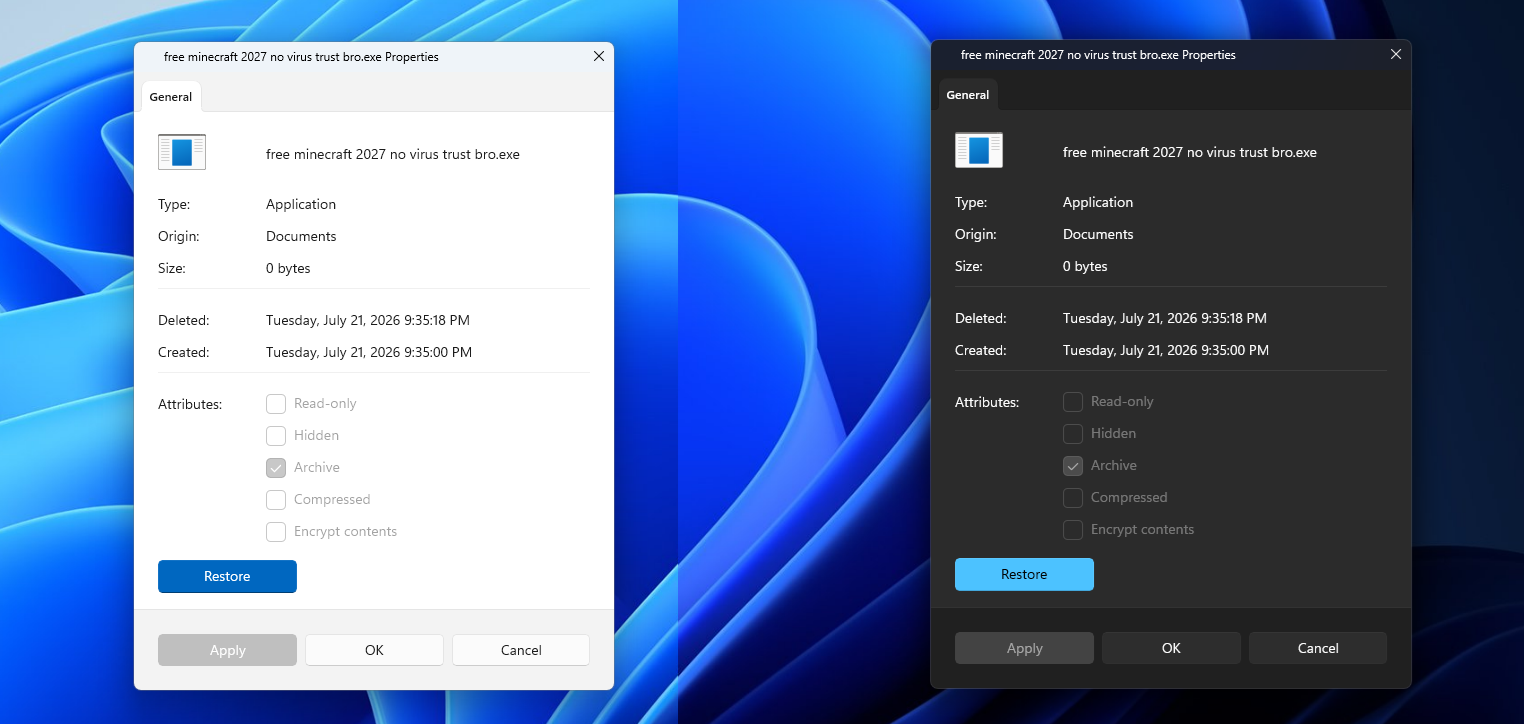
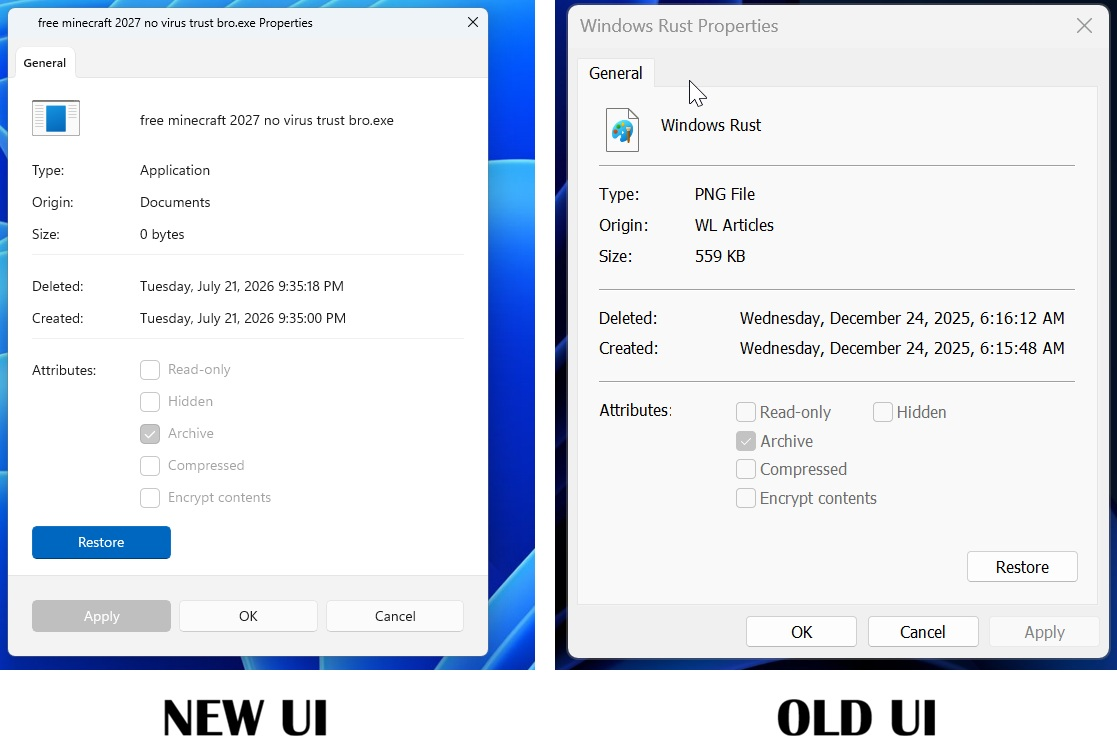
The File Properties dialog is one example of a genuine WinUI 3 redesign.
The new Run dialog goes even further. It has been rebuilt using C# and WinUI 3, supports dark mode, includes an improved command history and allows users to open their home directory using the ~\ shortcut.
Interestingly, Microsoft’s own testing found that the new version is slightly faster than the legacy Run dialog. The modern version recorded a median time-to-show of 94 milliseconds, compared with 103 milliseconds for the classic version.
Microsoft is also modernizing other areas of Windows 11, including AutoPlay, Print Management, the login-screen input switcher, local account dialogs, Pen settings and additional parts of the operating system.
Some legacy interfaces have become particularly outdated. Windows 11 can still display instructions referring users to the old Windows 8 Search charm, a feature that no longer exists in the operating system.
Despite the broader modernization effort, the Control Panel is not expected to disappear anytime soon. Too many advanced settings, administrative tools and existing Windows components still depend on the legacy environment for Microsoft to simply remove it.
The most important change, however, is not any single redesigned window.
Microsoft is now openly acknowledging the need to systematically work through Windows’ extensive collection of legacy interfaces and bring them closer to a unified Windows 11 visual design.
After years of Windows 11 mixing modern Fluent Design elements with interfaces inherited from several previous generations of Windows, the operating system may finally be moving toward a more consistent look.

Discussion(0)