
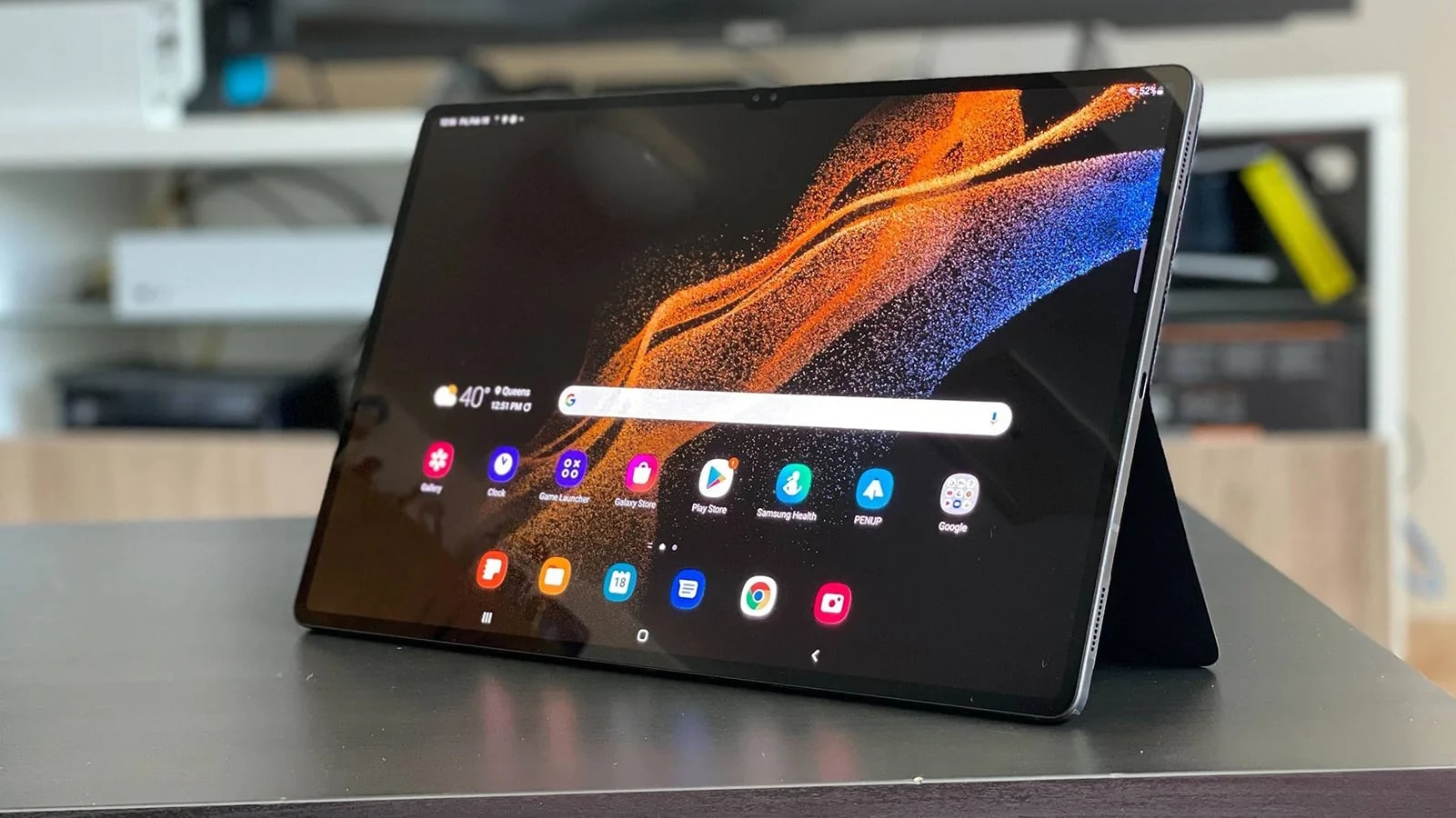

Tablets never made much sense at first glance: they are not phones, yet they cannot fully replace a laptop either. So why even bother with a tablet? That question becomes much easier to answer once a device like the Samsung Galaxy Tab S8 Ultra enters the picture. With its enormous 14.6‑inch display, this is the largest tablet in Samsung’s lineup and one of the biggest mainstream tablets ever released, blurring the line between a classic tablet and an ultra‑portable laptop.
Samsung has a history of pushing screen sizes forward. Nearly a decade ago, the company launched phones like the Galaxy Mega and later the Galaxy Note series, devices that were initially mocked for being “too big” but eventually set a new industry standard. The Tab S8 Ultra follows the same philosophy in tablet form: at almost 15 inches, it is clearly not meant to be held in the hands all the time, but makes perfect sense when used propped up on a desk, stand or keyboard cover. After a week of use, it becomes clear that this is one of the most versatile mobile devices for entertainment, multitasking and productivity.
Price, availability and specs
The Galaxy Tab S8 Ultra starts at 1,099 dollars for the base Wi‑Fi model with 8 GB of RAM and 128 GB of storage. Higher‑end configurations add 5G connectivity, up to 16 GB of RAM and up to 512 GB of internal storage, with all variants supporting microSD expansion up to 1 TB, though actual availability of these models varies by region. At the time this review was written, the Tab S8 Ultra was not officially available for purchase in Bosnia and Herzegovina, which may force interested users to import the device from neighbouring markets.
All three models in the Tab S8 family share core hardware: Qualcomm’s Snapdragon 8 Gen 1 chipset, Wi‑Fi 6E, Bluetooth 5.2 and an aluminium unibody design. The standard Tab S8 features an 11‑inch LTPS TFT LCD, the Tab S8 Plus moves to a 12.4‑inch Super AMOLED, while the Tab S8 Ultra tops the range with a 14.6‑inch Super AMOLED panel at 2960×1848 resolution and a 120 Hz refresh rate, powered by an 11,200 mAh battery with 45 W wired fast charging support.
Design and hardware
Design‑wise, the Tab S8 Ultra follows the familiar tablet formula: glass on the front, aluminium frame and back, and a slim rectangular profile. There is a small notch at the top of the display, housing a dual 12 MP front camera setup with a standard and an ultra‑wide lens, but the cut‑out remains unobtrusive during everyday use. On the back, a magnetic strip runs under the rear camera module, serving as the docking and charging area for the S Pen stylus included in the box. The rear camera system consists of a 13 MP main camera and a 6 MP ultra‑wide lens, while quad speakers sit along the sides and are tuned by AKG with Dolby Atmos support for an immersive audio experience.
At just 5.5 mm thick, the Galaxy Tab S8 Ultra is impressively thin considering it houses an 11,200 mAh battery. Depending on the model, weight sits at around 726–728 grams for Wi‑Fi and 5G variants respectively, which is comparable to many ultra‑light laptops and reinforces the idea that this device is meant to be used on a surface rather than held for long sessions. Internally, the Snapdragon 8 Gen 1 combines with 8, 12 or 16 GB of RAM and up to 512 GB of fast UFS storage, giving the tablet more than enough power for demanding games, multitasking and creative workloads.
Display and S Pen experience
The 14.6‑inch Super AMOLED display is the star of the show. With a 2960×1848 resolution, 120 Hz refresh rate and rich contrast typical of Samsung’s AMOLED technology, everything from movies and games to web browsing and reading looks strikingly sharp and vibrant. The sheer size of the panel makes content feel more cinematic and provides a fantastic experience for reading comics, magazines or long‑form articles, easily beating smaller tablets and many laptops in immersion.
The S Pen included in the box is a full‑size stylus, not a tiny, hard‑to‑hold stick. Latency has been reduced to around 2.8 ms, putting the writing and drawing experience extremely close to pen‑on‑paper and even edging out some rival styluses in responsiveness. Beyond simple note‑taking, Samsung’s software adds useful tricks such as instant text translation, smart screenshot tools that capture custom shapes, and handwriting recognition that converts scribbles into editable digital text, all of which help turn the Tab S8 Ultra into a serious productivity and creativity tool.
Software, DeX and productivity
Out of the box, the Galaxy Tab S8 Ultra runs Android 12 with Samsung’s One UI on top, and Samsung promises four major Android OS upgrades plus up to five years of security updates, which significantly extends the device’s lifespan. In practice, the tablet behaves like an oversized Samsung phone: the interface is familiar, and the 5G version can even handle phone calls, but many Android apps are still not properly optimised for very large tablet screens.
This lack of app optimisation has long been a pain point for Android tablets, especially when compared to the iPad ecosystem. Developers often focus on phone layouts first, resulting in stretched or awkward tablet interfaces that waste screen real estate. Samsung tackles this limitation with DeX Mode, a desktop‑like environment built into One UI that turns the interface into something closer to Windows, complete with movable, resizable app windows and a taskbar. In DeX, the Tab S8 Ultra transforms from “just a big Android phone” into a more capable productivity machine, particularly when paired with a keyboard cover and mouse.
Battery life and charging
The 11,200 mAh battery is as large as one would expect for such a massive display, and real‑world endurance depends heavily on workload. When used as a productivity device with multiple browser tabs open, plus Slack, Twitter and Spotify running in the background, the Tab S8 Ultra drains roughly 11% per hour, translating to around nine hours of active use on a charge. During video streaming sessions on platforms like Netflix, consumption drops to about 7–8% per hour, making 10–11 hours of continuous playback achievable.
Overall battery life is solid rather than groundbreaking, and heavy users will still want to recharge the tablet every night if it is their main work and entertainment machine. The device supports 45 W wired charging, which can restore a full charge in under an hour and a half with a compatible charger, though some regions may not include a power brick in the box.
Should you buy it?
At 1,099 dollars and up, the Galaxy Tab S8 Ultra is clearly a premium device and not an impulse purchase. For users who only want a casual media tablet for watching videos on the couch, social media scrolling and light browsing, cheaper models like the standard Galaxy Tab S8 or Tab S8 Plus make far more financial sense. The Ultra variant begins to justify its price when it is used as a true hybrid: part entertainment hub, part productivity machine.
If the tablet is going to sit on a desk permanently and function solely as a work device, a traditional laptop might still be a better choice, since even Samsung’s DeX environment cannot fully replicate a desktop OS in terms of app support and workflow flexibility. Where the Galaxy Tab S8 Ultra shines is in a specific niche: users who genuinely want one device for both serious work and rich media consumption, and who value the ability to blend those worlds in a single, large canvas.
In such a setup, it becomes easy to have a Word document open while a YouTube video plays in a corner window, or to join a Zoom call while actively scrolling through social feeds at the same time. The Tab S8 Ultra enables this type of mixed‑use behaviour more comfortably than almost any other Android tablet on the market today, making it a compelling option for those who want to seamlessly combine work and play on one oversized screen.

Discussion(0)